Create & Manage Price Tags
NEW TO CONSIGNING?
You create your price tags in the Consignor Portal—choosing the right category and size, setting your price, and selecting discount or donate options for each item or bundle you are selling.
Supplies You'll Need to Create WKOG Price Tags
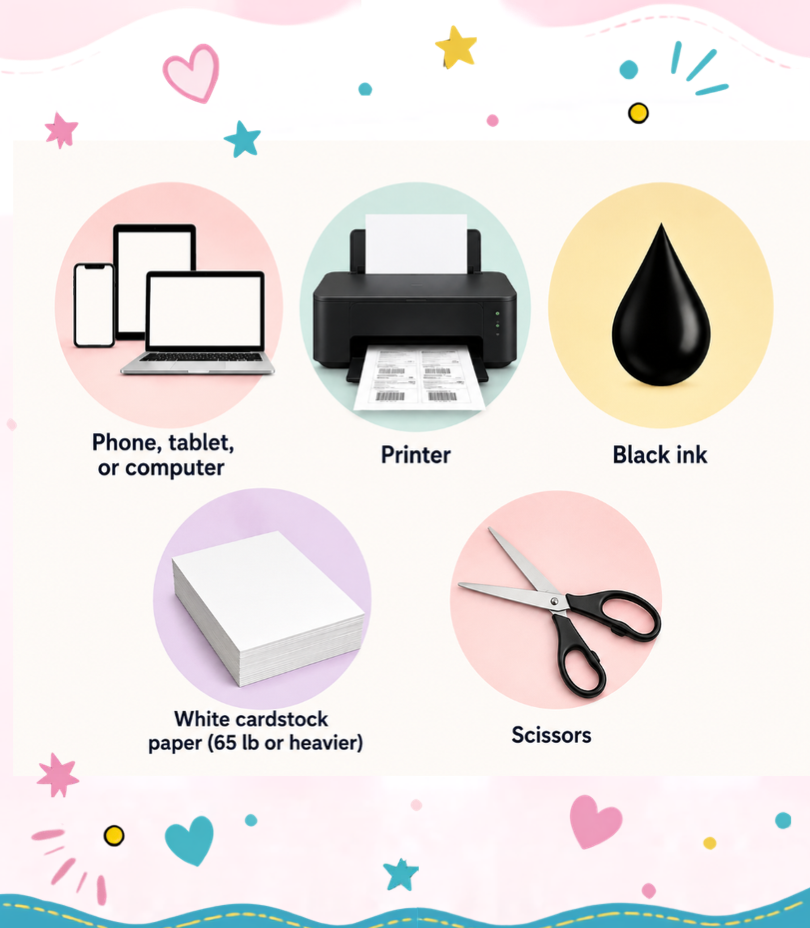
Before You Dive In
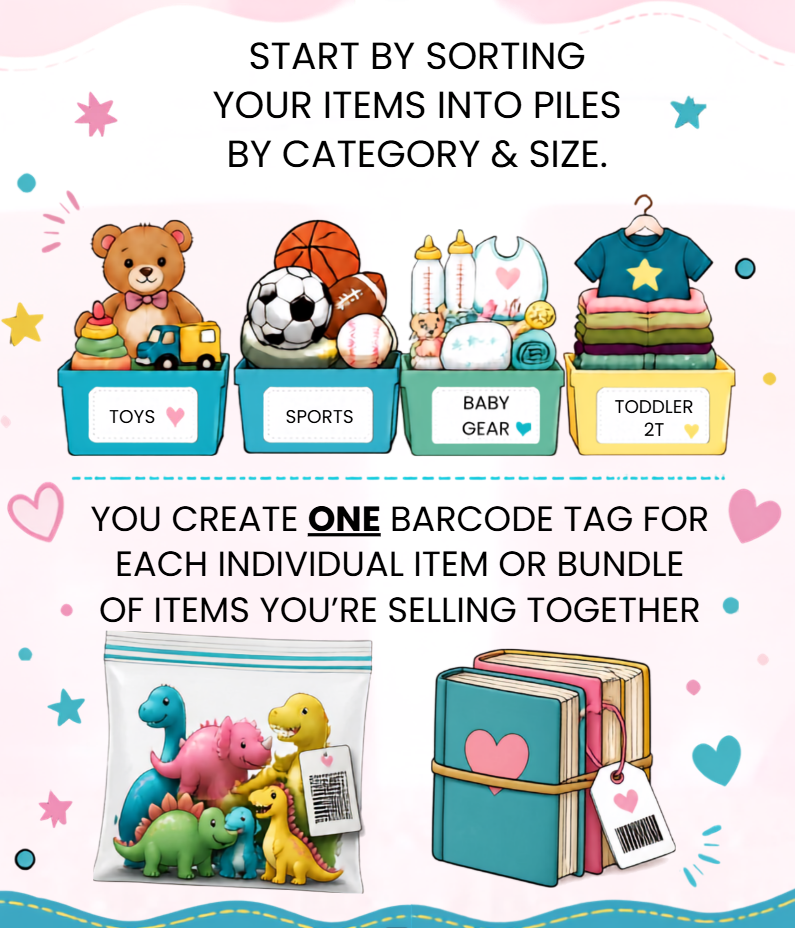
Below you will learn the ins and outs of creating price tags along with quick links to our category guide and video tutorials to help you create price tags like a pro!
Important Dates
Item entry opens: January 1, 2027 @ 9:00 a.m. EST
Last day to enter/edit tags: April 24, 2027 @ 11:59 p.m. EST
Downloads
· Category Guide ·
Videos
· Consignor Portal 101 ·
· Prepare for Rapid Tag Entry ·
· How Voice Entry Can Change Your Life ·
· How to Cut Your Tags ·
RETURNING CONSIGNORS!
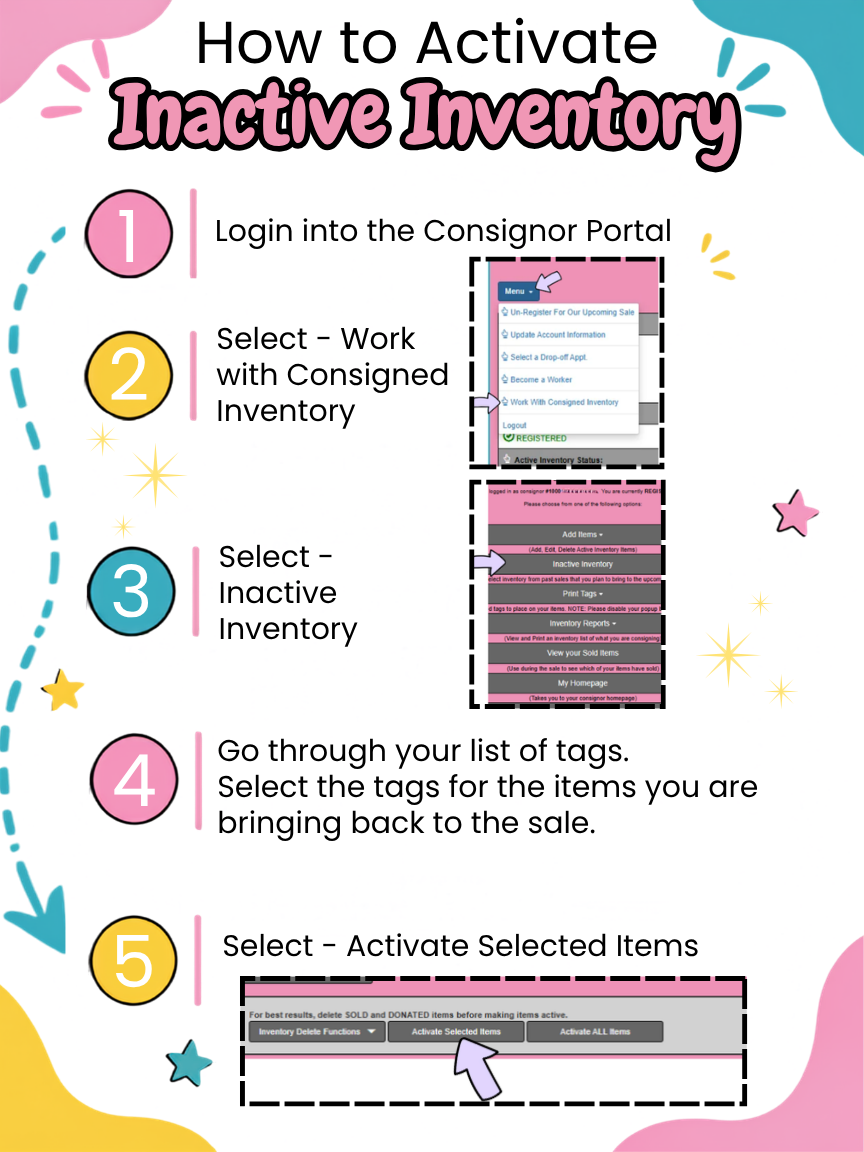
Bringing back unsold items? You don't have to make new tags for previously tagged items—just reactivate them ➡️ Jump to Inactive to Active Inventory Steps
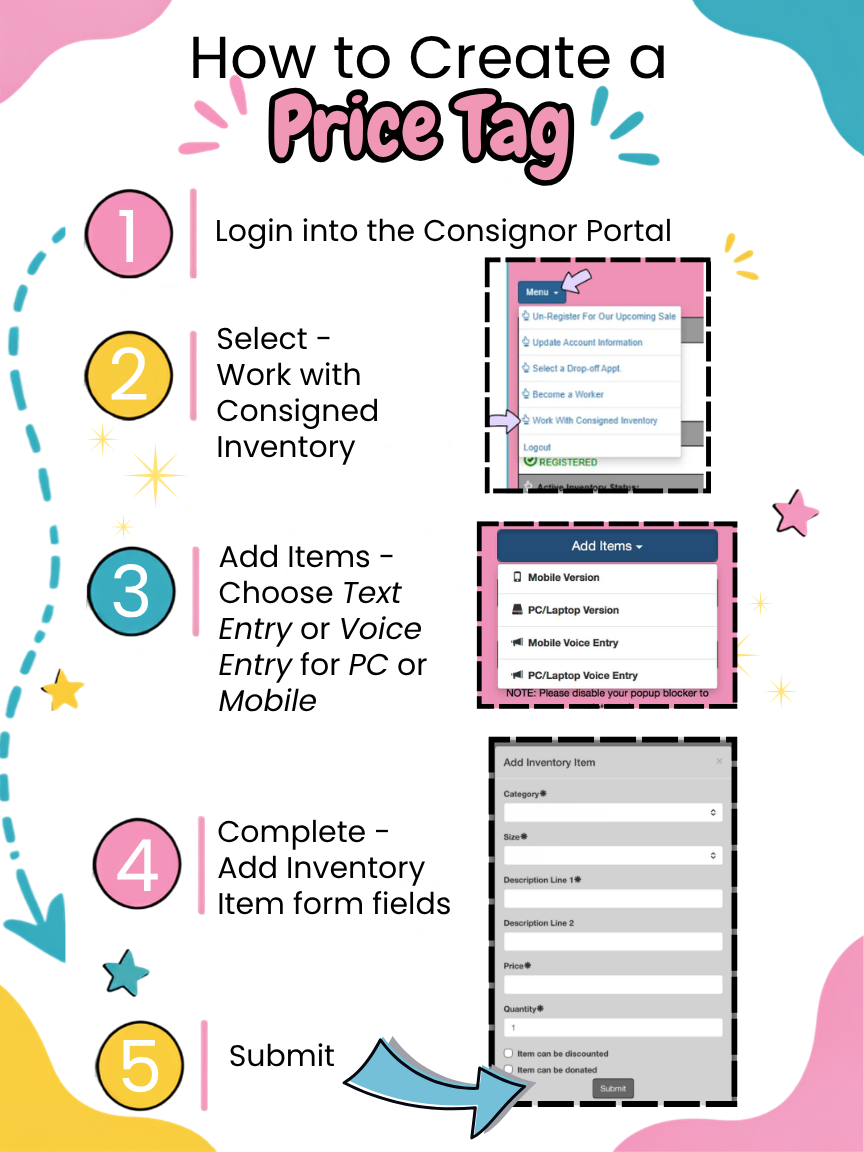
PRICE TAG CREATION GUIDE
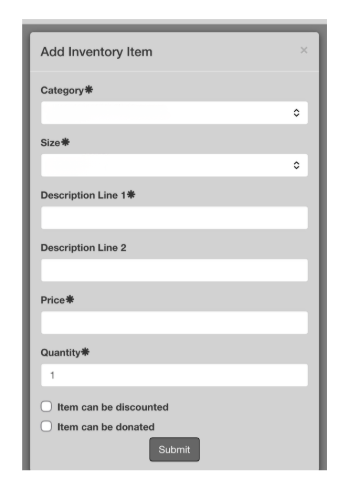
Category
Size
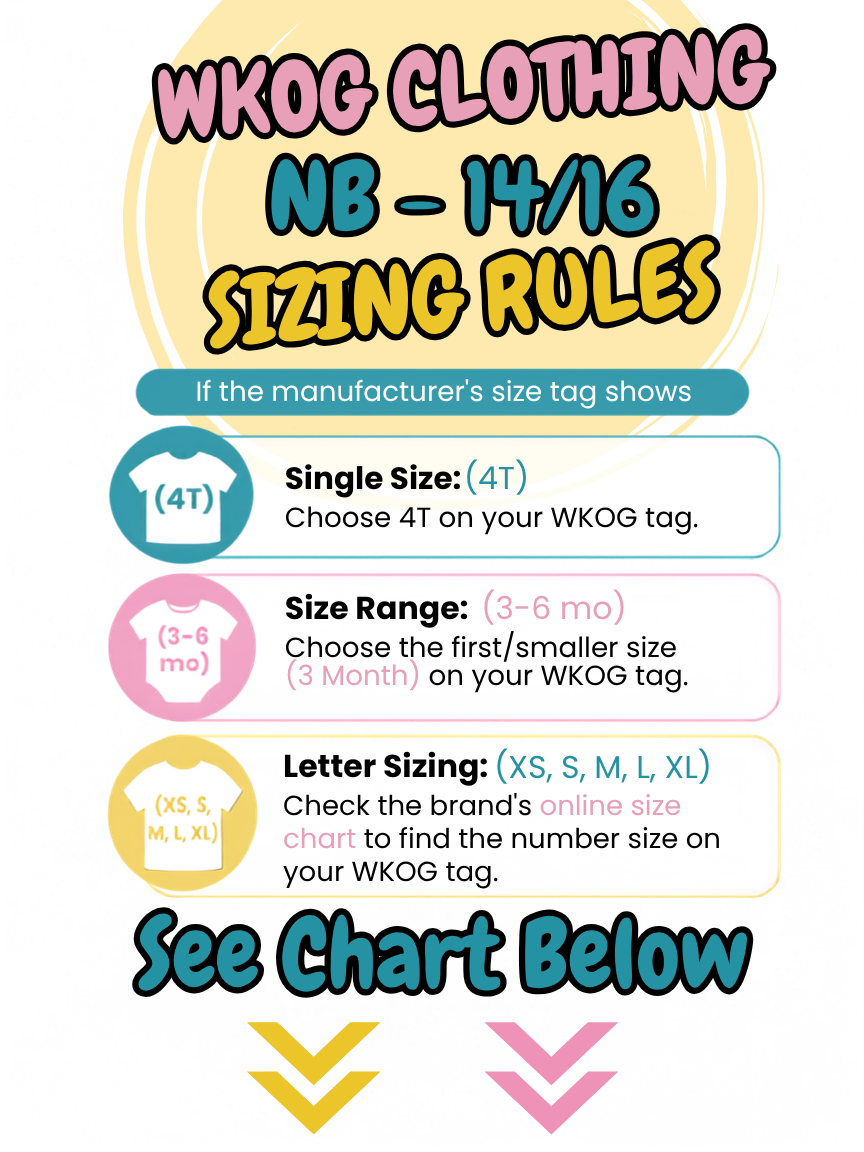
| Manufacturer Size / SIZE RANGE | WKOG SIZE |
|---|---|
| Micro (1-3lbs) | Small ≤5lbs) | Preemie (5-7lbs) | 0 Month (Preemie) |
| NB | 0-3 | 0-6 | 0-9 | 0-12 months | 0 Month (NB) |
| 3 months | 3-6 months | 3 Months |
| 6 Months | 6-9 months | 6-12 month | 6 months |
| 9 Months | 9-12 months | 9 months |
| 12 Months | 12-18 months | 12-24 months | 12 months |
| 18 Months | 18-24 months | 18 months |
| 24 Months | 24 months |
| 2T | 2 | 2/3 | 2T |
| 3T | 3 | 3/4 | 3T |
| 4T | 4 | 4/5 | 4T |
| 5T | 5 | 5/6 | 5T |
| 6 | 6/7 | 6 |
| 6X | 6X |
| 7 | 7/8 | 7 |
| 8 | 8/10 | 8 |
| 9 | 9/10 | 9 |
| 10 | 10/12 | 10 |
| 12 | 12/14 | 12 |
| 14 | 14/16 | 14 |
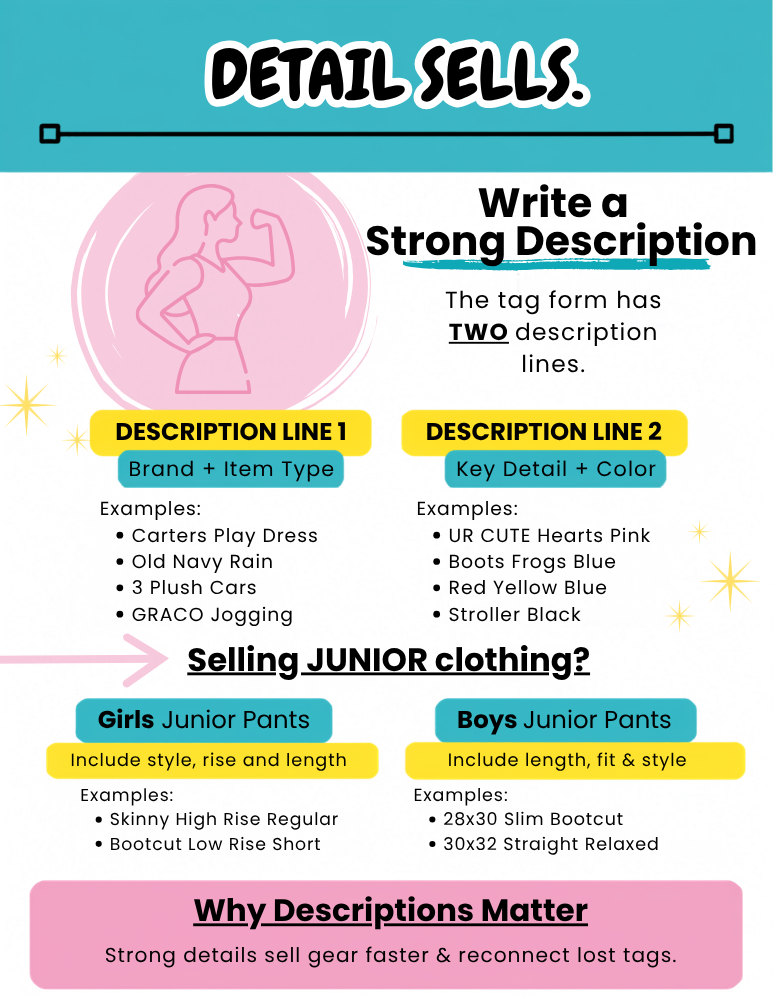
Description
Be sure to include: 1 - Brand, 2 - Item Type, 3 - Color, and 4 - Key Details. Bundling items? Note the item count in your description (e.g., 'Lot of 3' or '2-Pack'). If you don't know the brand, no problem—just add a few extra details instead.
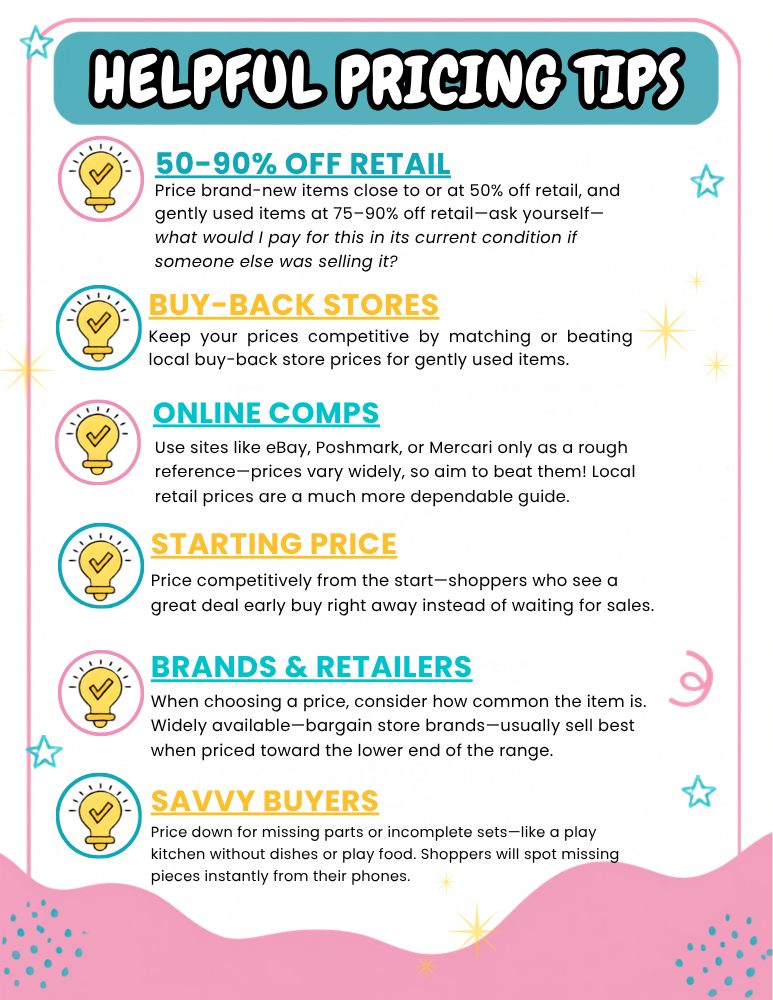
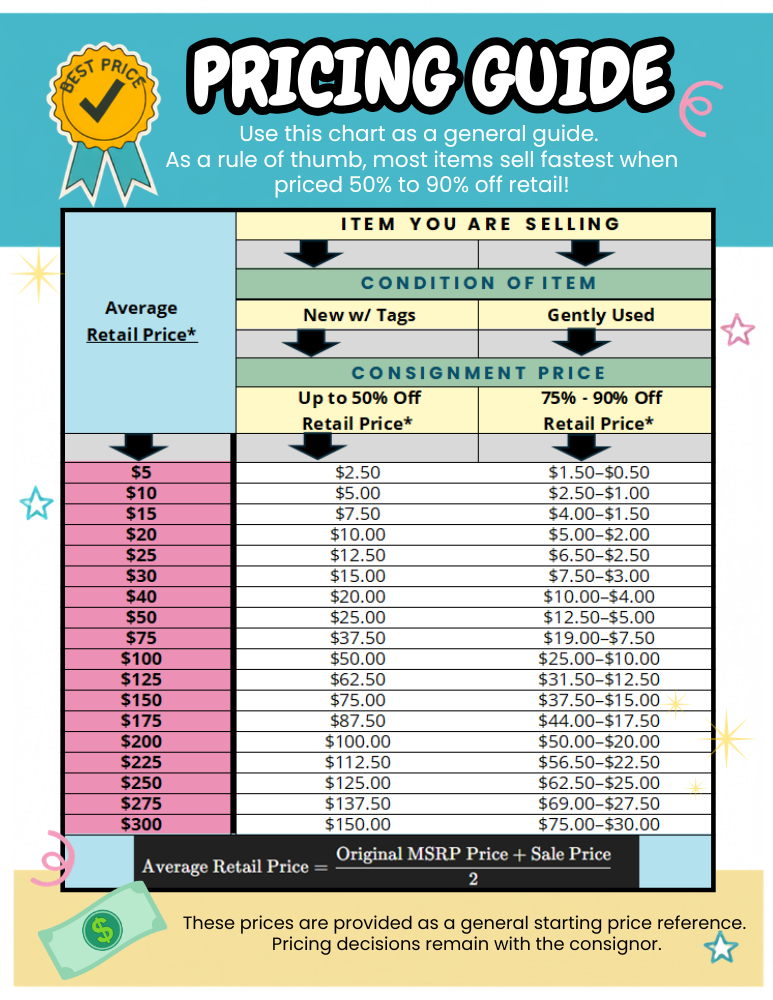
Pricing
Discount
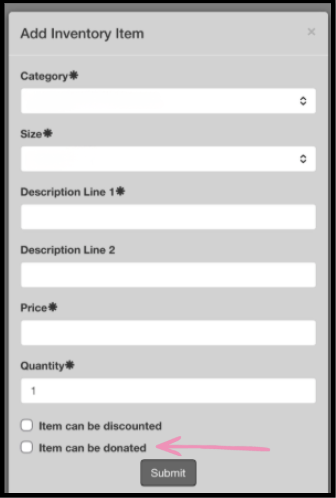
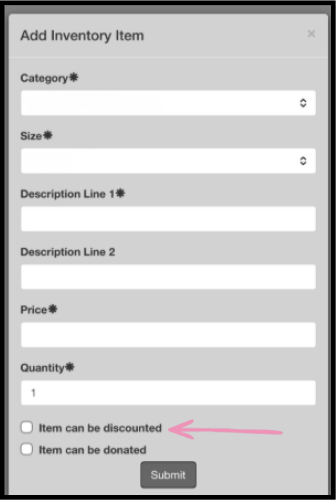
☑️ IF YES : Check the "Item can be discounted" box
☑️ IF NO : Leave the "Item can be discounted" box unchecked
Donate

☑️ IF YES : Check the "Item can be discounted" box
☑️ IF NO : Leave the "Item can be discounted" box unchecked